For Mac
AI video editing, native on Apple Silicon.
GZOO Media Studio runs on your Mac — built for Apple Silicon (M1 and newer). Talk to edit, get auto captions and shorts, and keep every file on your own machine. Free — give an email address and download it.
Free — no card, no subscription, nothing to cancel
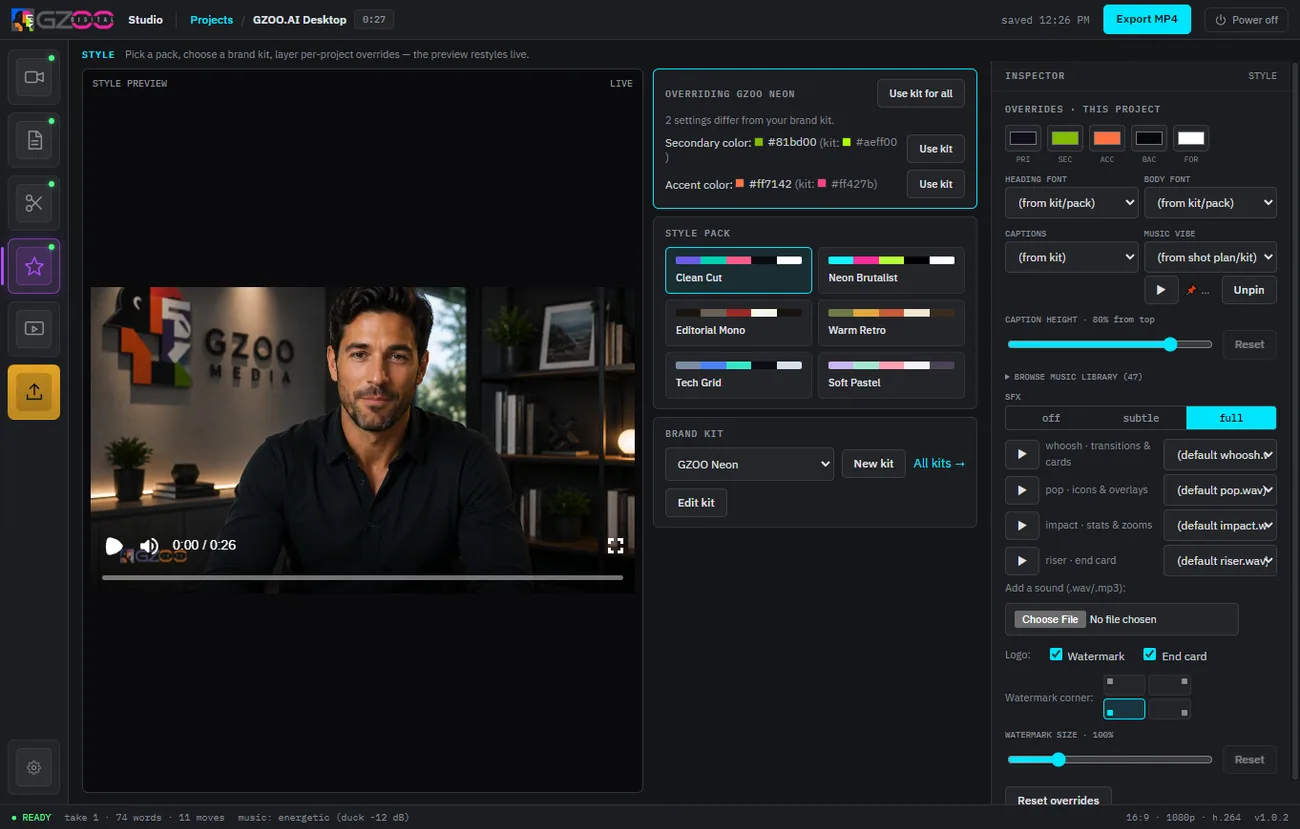
Made for Apple Silicon
A real Mac desktop app that uses the hardware you paid for, instead of shipping your footage to a server.
Apple Silicon native
Built for M1 and newer, so editing and rendering run at native speed on your Mac.
Your files stay local
Projects, footage, and exports live on your Mac. Nothing has to leave it.
Free to keep
Free to download and yours to keep, with every version included and no expiry. No subscription and no per-minute credits — just your own AI provider key, billed by that provider.
The same AI editing, on macOS
Everything the studio does, running on your Mac.
Talk to edit
Describe the change in plain words and the studio applies it — no timeline required.
Auto captions & zooms
Animated captions and punch-in zooms added automatically, styled for short-form.
Shorts for every feed
One edit reframed for 16:9 and 9:16 — YouTube, Shorts, Reels, TikTok, and streams.
Getting started on Mac
macOS 15 and newer no longer offer the old right-click-to-open bypass, so the first launch uses System Settings.
Install the studio
Open the downloaded app. On first launch, approve it under System Settings → Privacy & Security → Open Anyway. Full steps on the install page.
Add your AI key
Paste your own provider key once. What it is and what it costs is on the API keys page.
Start talking to it
Drop in a raw take, say what you want, and export a finished edit for every platform.
Questions
Does it work on Intel Macs?
GZOO Media Studio is built and supported for Apple Silicon (M1 and newer). That is where it runs best and where support is focused.
Why does macOS warn me on first launch?
That is standard Gatekeeper behavior for apps installed outside the App Store. Approve it once under System Settings → Privacy & Security → Open Anyway; the install page shows exactly where.
Is my footage sent to the cloud?
No. The app runs on your Mac and your media stays there. The AI steps call a provider using your own key.
What does it cost to run?
The studio itself is free. The one running cost is the AI provider key you bring — that provider bills you directly for what you use, and the API keys page explains it.
Is there a subscription?
No — the studio is free, every version is included with no expiry, and there is nothing to cancel. See the no-subscription editor page.
Keep exploring
Put your Mac to work.
GZOO Media Studio for Apple Silicon is free. Install it, talk to it, and publish faster.
Free — no card, no subscription, nothing to cancel