How it works
You talk. AI edits.
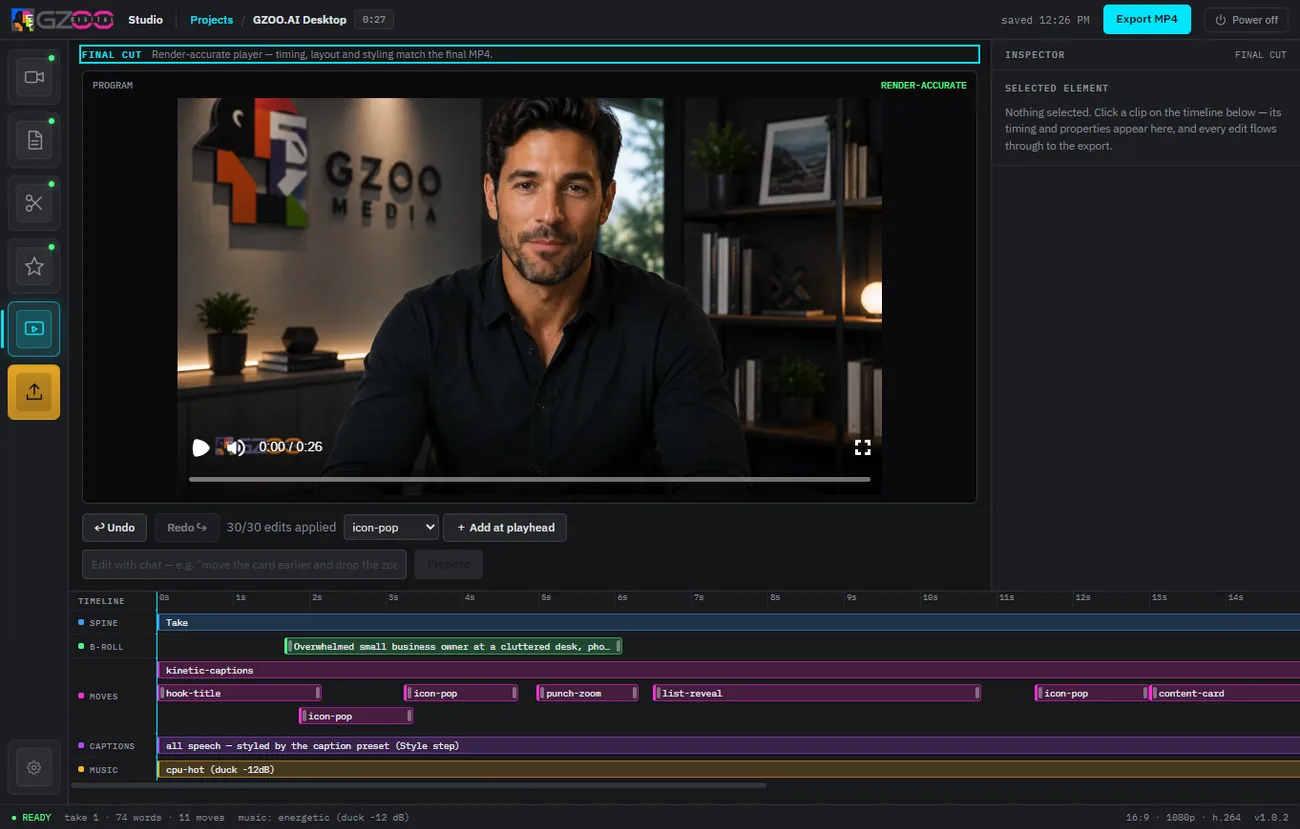
Record once, hand it to the studio, and describe what you want in plain words. It cuts the boring parts, adds captions and zooms, drops in B-roll and music, and hands back a finished edit — sized for wide and vertical.
Free — no card, no subscription, nothing to cancel
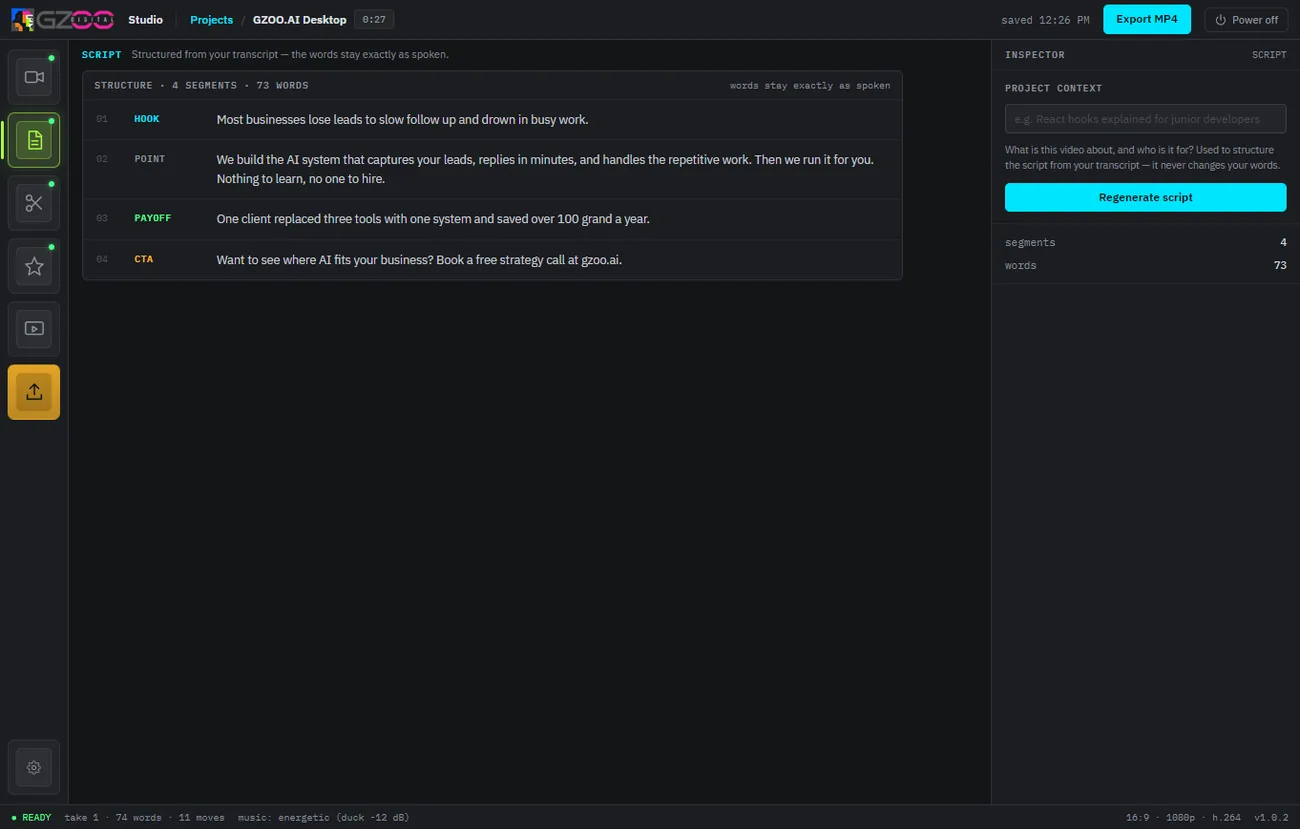
Three steps from raw take to posted
No timeline scrubbing, no keyframes. The studio does the editing; you make the calls.
Bring your footage
Record a talking-head take, screen capture, or podcast — then drop the raw file into GZOO Media Studio. Feed it raw clips, not a finished render.
Tell it what you want
Ask in plain language — “cut the filler,” “add captions,” “punch in on the key line,” “make a 60-second short.” Or accept the defaults and let it run.
Export for every platform
Get a finished edit reframed for 16:9 and 9:16. Post it to YouTube, Shorts, Reels, TikTok, or your stream highlights.
What runs where
The app lives on your computer. The AI steps use your own provider key, so your footage and your costs stay yours.
On your machine
Editing, rendering, and your media files all live locally on Windows, macOS, or Linux.
Your AI key
Transcription and AI edits call a provider with a key you supply — you pay those costs at cost, straight to the provider.
No subscription
The studio itself is free, and every version is included with no expiry. No recurring fee, nothing to cancel.
Set up once, then it is fast
Getting the studio is an email address and a one-click install, and adding your AI key takes a minute. After that, most edits are a matter of talking.
One-click install
Download the studio and the installer sets it up for you — no build steps, no dependency hunting. See the install walkthrough.
Bring an API key
A short, plain-English guide to getting one and what it costs is on the API keys page.
Then just create
Curious about the day-to-day flow? The workflow page walks through a real edit.
Questions
How long does an edit take?
Most of the work is automatic and runs in the background. The hands-on part is describing what you want, which is usually a sentence or two.
Is my footage uploaded to a server?
The app runs on your computer and your media stays there. The AI steps send what they need to your chosen provider using your own key; there is no GZOO cloud in the middle.
Keep exploring
Talk your next video into existence.
GZOO Media Studio is free for Windows, macOS, or Linux. Record, describe, export.
Free — no card, no subscription, nothing to cancel