For Windows
AI video editing, native on Windows.
GZOO Media Studio installs and runs on your Windows PC — not in a browser tab, not in someone else's cloud. Talk to edit, get auto captions and shorts, and keep every file on your own machine. Free — give an email address and download it.
Free — no card, no subscription, nothing to cancel
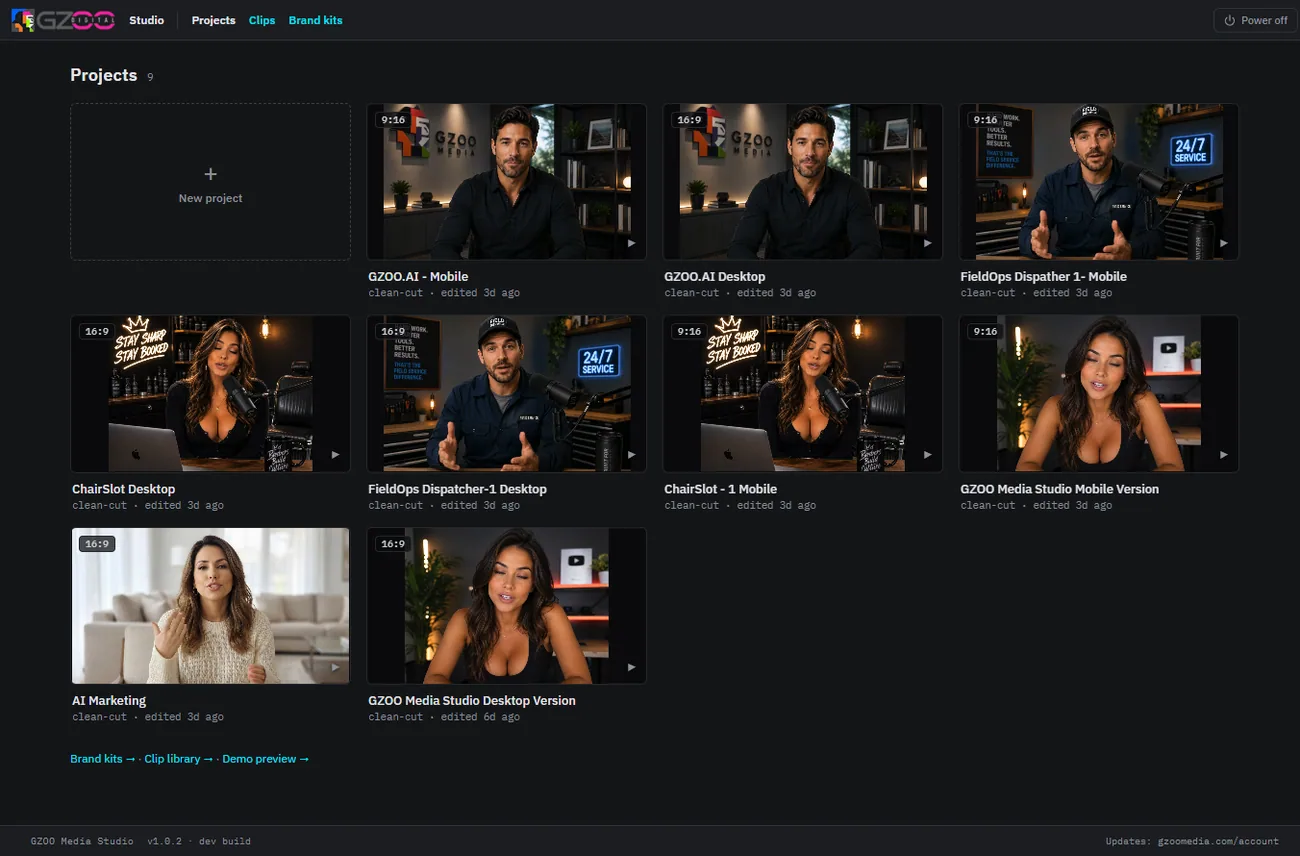
Built to run on your PC
A real desktop app for Windows, so the heavy lifting happens on hardware you already own.
Installs locally
One-click installer sets up the studio on your PC. No web upload, no queue, no browser limits.
Your files stay put
Footage, projects, and exports live on your drive. Nothing has to leave your computer.
Free to keep
Free to download and yours to keep, with every version included and no expiry. The only running cost is your own AI provider key, billed to you by that provider.
The same AI editing, on Windows
Everything the studio does, running on your PC.
Talk to edit
Describe the change in plain words and the studio applies it — no timeline scrubbing.
Auto captions & zooms
Animated captions and punch-in zooms added automatically, styled for short-form.
Shorts for every feed
One edit reframed for 16:9 and 9:16 — YouTube, Shorts, Reels, TikTok, and streams.
Getting started on Windows
Run the one-click installer
Download and launch it — the studio sets itself up. Full detail on the install page.
Add your AI key
Paste in your own provider key once. What it is and what it costs is covered on the API keys page.
Start talking to it
Drop in a raw take, say what you want, and export a finished edit for every platform.
Questions
Which versions of Windows are supported?
GZOO Media Studio runs on modern 64-bit Windows. The download page and install walkthrough list current requirements.
Does it run in the cloud or on my PC?
On your PC. It is a desktop app — editing and your media files stay local. The AI steps call a provider using your own key.
What does it cost to run?
The studio itself is free. The one running cost is the AI provider key you bring — that provider bills you directly for what you use, and the API keys page explains it.
Is there a subscription?
No. The studio is free, every version is included with no expiry, and there is nothing to cancel. See the no-subscription editor page.
Can I also run it on my Mac or Linux machine?
Yes — the same studio is available for Mac (Apple Silicon) and Linux.
Keep exploring
Edit on your PC, not in a tab.
GZOO Media Studio for Windows is free. Install it, talk to it, and publish faster.
Free — no card, no subscription, nothing to cancel